

Personalized Feeds Are Here: Here's how it works
Hard to believe but there are now over 100 communities created on OddsRabbit!

With that many communities, there are bound to be topics and discussions that won't be up everyone's alley. That's why personalized feeds are now the default filter on your homepage.
The feed isn't perfect yet while our advanced algorithm (/u/JingJunMa) manually tags each community and calculates relevancy scores. But it should improve over the coming days, and as the platform grows.
The previous feed is still available under the 'Trending' filter if you wish to see all the top posts on OddsRabbit, and /c/latest has been moved to the new 'New' filter.
To tailor your algorithm even more, you can now tag communities and posts that you'd like to see less of in the post dropdown.
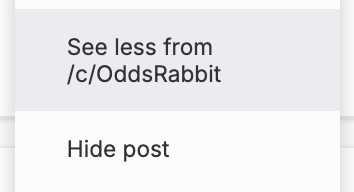
You can also see all the posts and communities you've hidden in your account settings so you can tweak this at anytime.
Between the personalized feed and the new content preference filters in your settings, you should be able to create an OddsRabbit experience that works for you.
Let us know how your feed is looking, and if you'd like to see any other changes!
 OddsRabbit
Your discussions make a real difference
Join OddsRabbit, a new reddit-alternative where your participation directly helps fund charitable causes you care about.
Comments