




Send out newsletters and updates from your community
Hello,
We're very excited to announce that we've now opened up our newsletter feature to all communities. This not only allows niche and hobby communities to send out updates to users, it also opens up OddsRabbit as a newsletter platform with built-in community features.
OddsRabbit's aim was always to be the best community platform, to empower creators, and to give back - and we believe this strongly moves us towards that.
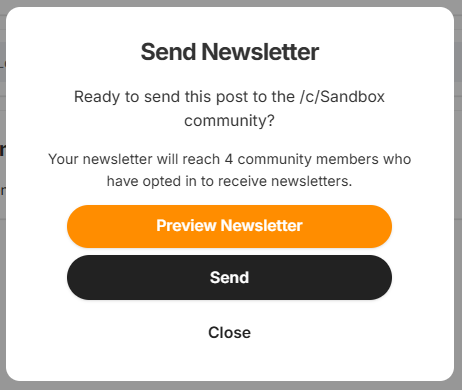
To get started, simply create your newsletter/update and then click Send in the moderator dropdown.
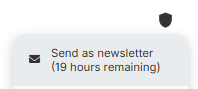
Note that only posts created within the last 24 hours are eligible.
Ideas to get started
A few ideas and potential use-cases for your community
- Weekly roundup - Highlight the best posts, discussions, or users from the past week
- Event reminders - AMAs, game nights, contests, or anything fun
- Creator updates - Updates about your streaming schedule, a new video, or announcements to your followers
Any more ideas? Let us know in the comments below!
Tips and best practices
1. Preview the newsletter first before sending it. They can only be sent once
2. For best email deliverability, limit the number of links in your email.
Other info
- Communities are allowed to send up to 1 newsletter/update per day to start.
- Newsletters flagged 18+ will be sent in a redacted format to allow for best deliverability.
- As a user, if you wish to opt out, you can do so in your settings under Community Notifications
- Please use this responsibly - spam or abuse can lead to losing newsletter access and, in serious cases, action on your account
 Sign up for OddsRabbit
Join communities like /c/OddsRabbit and never miss posts like this. Every signup donates a meal for a child in need. Learn more

 +10
View comments
Comments
Oh! I can send out my anime recommendations

I was tired of paying $89/mo for Beehiiv for another project, and I know some people who pay a lot more especially if they have a bigger list, like on Mailchimp etc.
Very excited to see how this goes.
[This comment has been deleted]

??

cool please don’t tell me this was written by AI
I’ve sent two newsletters so far…I think.
From different communities. One early yesterday morning, and one very early this morning. Both I previewed first, and received the email, no problem.
Each time, after viewing the preview, I went back and send the newsletter. Each time I got the immediate popup message “queued”. I presumed they were then sent, but I don’t really know. Should I have also received a copy?
They were sent, I saw them. You should’ve also received a copy, I’ll take a look at why

Ok thanks. I just checked my junk folder but nothing… and I did get both previews
No comments yet
Be the first to share your thoughts.